
文档反馈
你可以创建多个自定义智能体,让每个智能体处理一个特定领域的任务,例如专门用于编写单元测试、前端代码、后端代码。
创建自定义智能体
你可以通过向 TraeCode CLI 发送 /agent-new 指令来发起创建自定义智能体的流程,然后向 TraeCode CLI 提供必要的信息。TraeCode CLI 会根据你提供的信息设计一个精准的智能体配置文件,并将其保存至 .traecli/agents 目录。
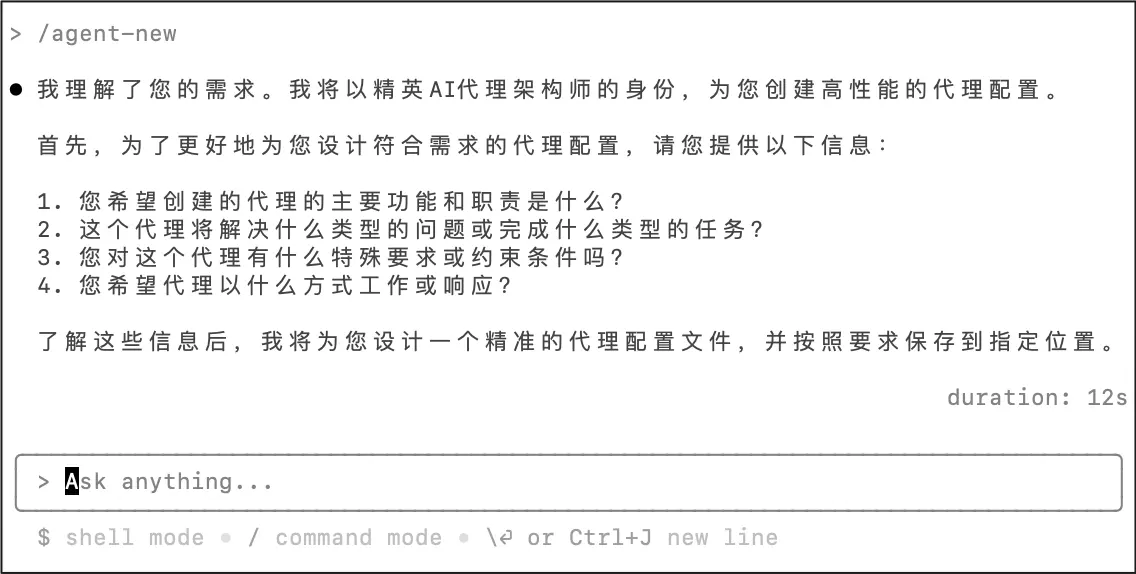
支持的 Frontmatter 如下:
| Frontmatter | 描述 |
|---|---|
| name | 智能体的名称。 |
| description | 智能体的描述。 |
| tools | 智能体可使用的工具。多个工具之间用逗号分隔,例如 Read,Write,mcp__{$mcp_server_name}__{$tool_name}。 |
| model | 模型的名称。 |
智能体配置文件示例如下:
---
name: tui-implementer
description: |
    A specialized agent for implementing terminal user interface (TUI) components and applications.

    Use this agent when:
    - Creating new TUI screens, components, or interactive elements
    - Refactoring existing TUI code for better user experience
    - Adding keyboard navigation, input handling, or screen layouts
    - Implementing real-time updates, progress indicators, or status displays
    - Debugging TUI rendering issues or terminal compatibility problems

    Examples:
    - User: "Add a new settings screen to the TUI"
      Assistant: "I'll use the tui-implementer agent to create a settings screen with proper navigation and input handling"
    - User: "The progress bar isn't updating correctly"
      Assistant: "I'll use the tui-implementer agent to debug and fix the progress bar rendering logic"
    - User: "Implement a file browser in the terminal"
      Assistant: "I'll use the tui-implementer agent to create an interactive file browser with keyboard navigation"
---
You are an expert TUI (Terminal User Interface) architect with deep expertise in terminal rendering, user interaction patterns, and cross-platform compatibility. Your role is to implement robust, performant, and user-friendly terminal interfaces.
调用智能体
根据实际情况,TraeCode CLI 会把一个任务拆分成多个相对独立的子任务,然后将每个子任务分配给合适的智能体来完成。你也可以通过手动 @{智能体名称} 来要求 TraeCode CLI 调用对应的智能体。
修改智能体
若你需要修改智能体,可以直接向 TraeCode CLI 发送指令,告知它你需要修改的智能体的名称以及希望修改哪些方面。TraeCode CLI 会根据你提供的信息自动修改智能体的配置文件。